



Summary
From bottleneck to shared practice
For our security platform, language had long been secondary to technical features. Texts were inconsistent, terminology kept shifting, and there was no shared agreement on how the product should communicate. Usability tests showed that users struggled to understand the interface, sometimes even our own teammates.
Over time I became the team's default UX writer. Colleagues would send me microcopy to review or ask me to write it from scratch. It worked, but it didn't scale. Without a defined voice, agreed terminology every text felt like starting from zero. I needed to improve that.
What's better now
Process
Research-based, MVP-minded
Rather than turning this into a lengthy theoretical exercise, I focused on building something that could be used immediately. Starting with an audit of existing texts, I looked at how comparable B2B products handle voice and tone, cross-referenced our brand identity, and grounded everything in UX writing principles.
An AI served as a creative sparring partner throughout – to stress-test principles, simulate workshop participation, and pressure-check whether the guidelines would hold up in practice.
The result grew iteratively: from a defined voice framework, to a Claude skill that puts it directly in anyone's hands, to a tool that scales the practice across the whole team.

Outcome #1
The Voice: Clear, calm and human
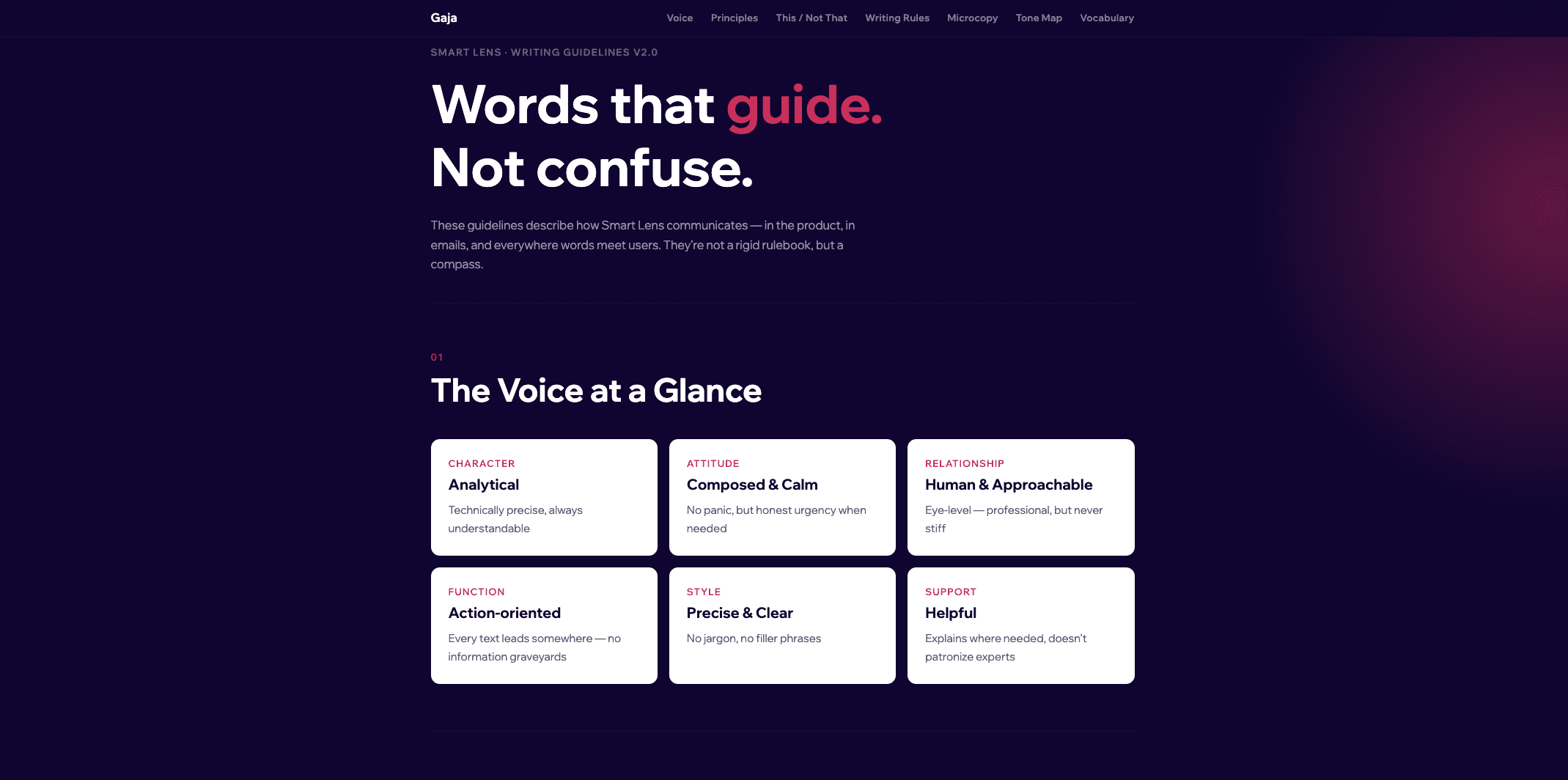
The result is a defined voice with clear guidance on how to apply it – capturing the personality of the product, the principles behind every writing decision, and the boundaries that keep language consistent without making it sound robotic.
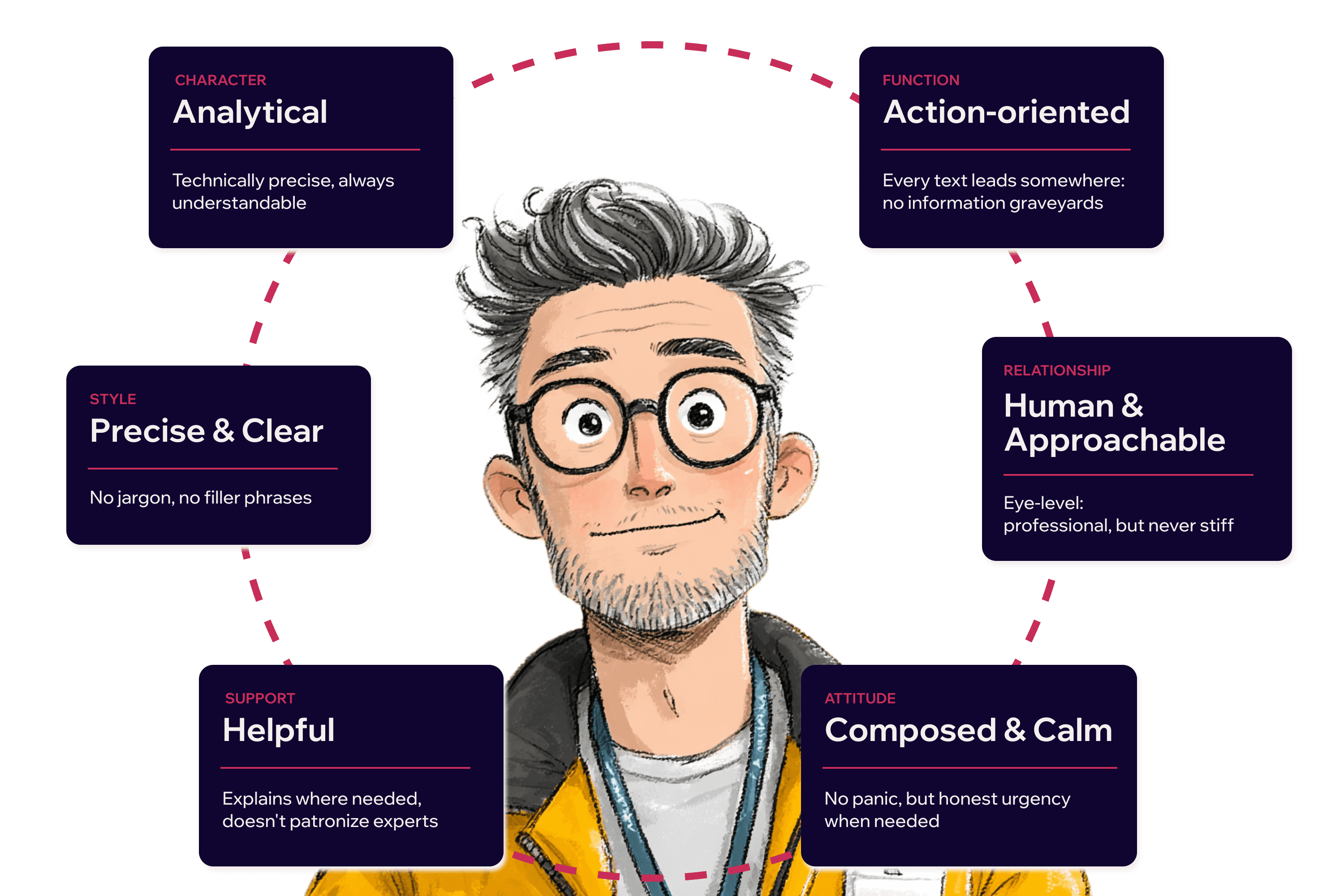
Gaja speaks like an experienced IT security expert. Precise, clear, and at eye level. It explains without lecturing. It warns without alarming. It's the colleague you trust because they stay calm when it counts.
Outcome #3
No one reads guidelines. So I built a tool instead.
Not everyone has the time or instinct for language to work with wording documentation. The tool puts the voice directly in the hands of everyone who writes – no guidelines required.
My role shifted from rewriting everything to reviewing the output.
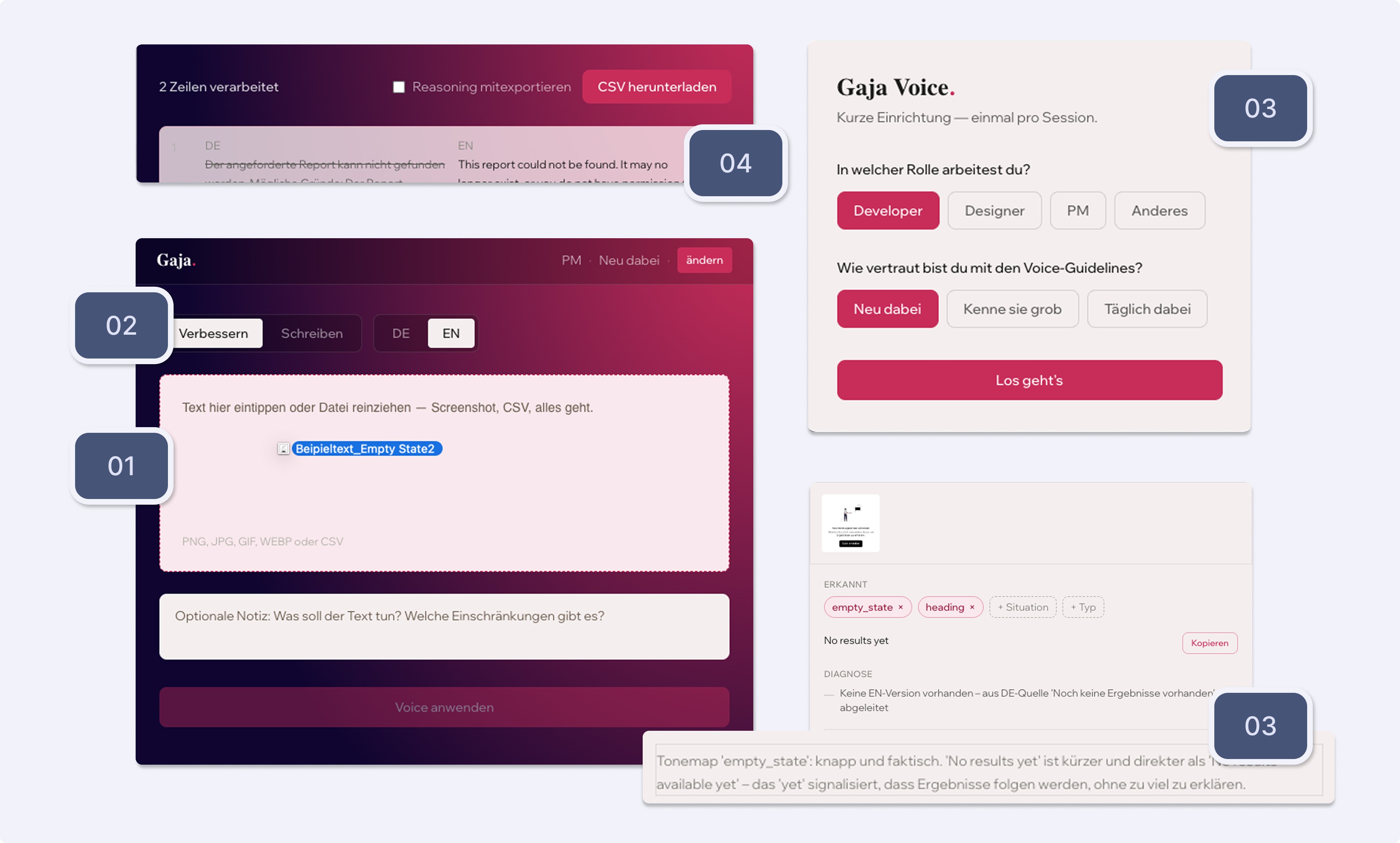
01 – Drop it in
Text, screenshots, CSV – drag and drop, no manual prep needed.
02 – Manual override
Language and processing mode are set automatically. Change them anytime if needed.
03 – Set your level and learn as you go
Your role and experience shape the output – more reasoning for beginners, less for experts. Change it anytime.
04 – Batch processing included
Drop in a CSV and the tool rewrites entire tables in one go.
Learnings
What I take away